
Condenser cleaning is one of the most useful owner maintenance tasks for Sub-Zero refrigeration when it is done with the correct model-specific access procedure.
Cleaning a Sub-Zero condenser comes down to turning the unit off at the control, gently removing dust with a soft brush and vacuum along the direction of the fins, and giving the cabinet time to recover. Wear gloves, because the aluminum fins are sharp, and do not use chemicals. If temperatures stay high or the message comes back, cleaning was not the whole answer.
The condenser removes heat from the refrigeration system. Dust, lint, and pet hair restrict airflow through its fins, which can increase run time and contribute to warm temperatures or service messages. The condenser fan, which pulls outside air through the coil, can also be affected by what is stored near the grille.
Sub-Zero recommends condenser cleaning roughly every six to twelve months for many refrigeration products, with more frequent cleaning when pets or dusty conditions are present. The location and grille-removal procedure vary by series, so identify the model before opening any access panel.
| Symptom | What it can point to | What you can safely check |
|---|---|---|
| Flashing Service or Vacuum Condenser | Reduced efficiency from a dirty condenser, door seal, or another fault | Clean the condenser following the guide for your model; check the door seal |
| Running constantly or not cooling | Restricted airflow at the condenser or a cooling fault | Check the grille area and clean if due |
| Warm temperatures | Dirty condenser, or a problem cleaning will not fix | Clean, then watch whether temperatures recover |
| Warm well above setpoint | Fan, sensor, sealed system, or door seal | Skip repeat cleaning and arrange service |
| Grille or kickplate covered by trim | Airflow blocked by custom work | Check the installation guide for clearance |
Find the model and serial tag for the correct access instructions, and turn the refrigeration system off using the approved control.
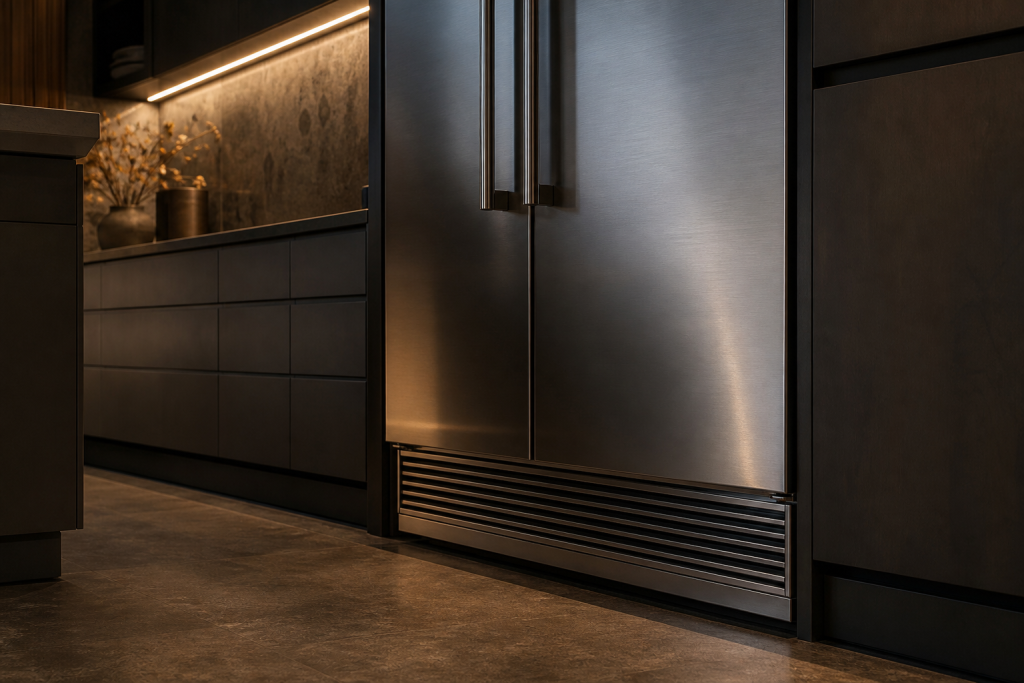
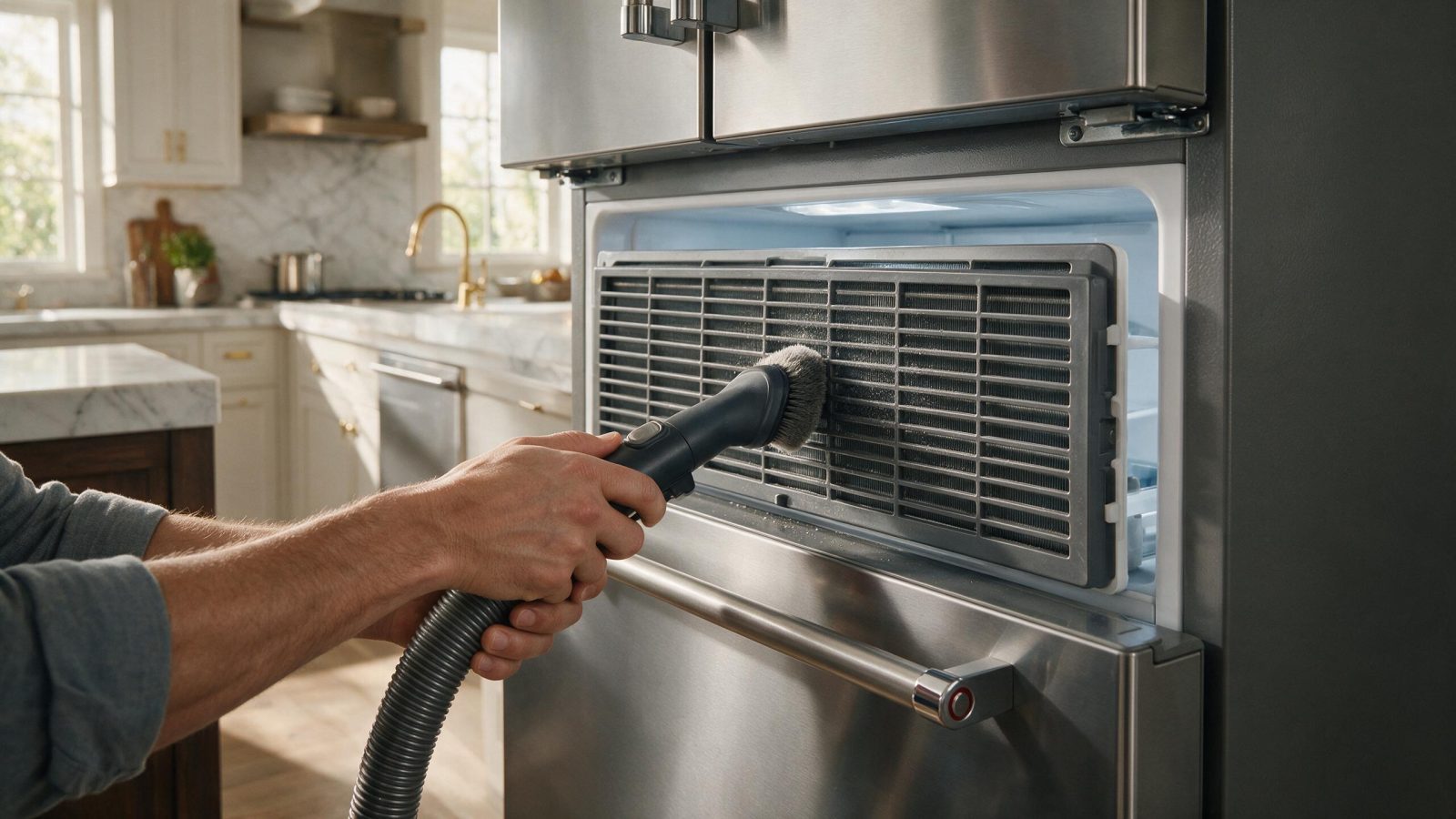
On many models the condenser is reached through a grille, though the access method depends on the series. On 201, 501, and 601 models, for example, the grille kickplate is opened or removed before vacuuming, and the cabinet can take up to 24 hours to recover afterward. Other series have different access. Use the guide for your model, and if reaching the condenser means taking apart anything that the guide does not describe, stop there.
Designer IT, IC, and ID models add another point: the kickplate must not be fully covered by a custom toe kick or enclosed in cabinetry, since that can cause sealed-system failure.
Vacuum the condenser surface gently in the direction that allows the brush to lift lint without crushing the aluminum fins. Do not press hard or push tools deep into the coil.
A dirty condenser can show up in several ways. Sub-Zero lists flashing Service or Vacuum Condenser messages, constant running or poor cooling, and warm temperatures as the signs, so a unit that has drifted in that direction is a reasonable candidate for a look.
Sub-Zero does not recommend condenser-cleaning chemicals or degreasers for routine cleaning. Dry removal with the appropriate vacuum or soft brush is normally sufficient.
Sub-Zero’s guide for Classic models describes a soft brush used with a vacuum, moving in the direction of the fins. Compressed air on a low setting can reach places a vacuum cannot, though use it carefully and only if the guide for your model allows it. Gloves protect your hands from the sharp fins. Work slowly, because the aim is to lift lint from the surface and not to push it deeper or bend the fins.
Do not bend fins aggressively, spray water or household cleaner into electrical or condenser areas, or remove sealed-system screens or tubing.
Restore the grille or access panel, turn the unit back on, and monitor temperatures. If the refrigerator was warm before cleaning, it can take up to 24 hours to return to its normal setpoint.
Give the unit a full day before drawing conclusions, and avoid loading a large amount of warm food in the meantime. If a Vacuum Condenser message was showing and the unit was still holding temperature, Sub-Zero says it can keep being used until service, so a message alone is not an emergency when the cabinet is cold.
If a Vacuum Condenser or Service message returns, or temperatures do not recover, cleaning was not the complete solution and service should diagnose the remaining cause.
Cleaning is a first step, not a cure for every warm-cabinet complaint. Sub-Zero says a refrigerator reading well above its 38°F setpoint, above about 48°F, is unlikely to be fixed by condenser cleaning, and that a freezer more than about 10°F above setpoint is also a poor candidate. The same guidance lists a fan, a temperature sensor or thermostat, the sealed system, or a door seal as other causes. A unit that stays warm after a clean condenser is giving useful information: look elsewhere next.
Sub-Zero’s guides also differ on how often to clean, depending on the model and the guide, so go by the one for your unit rather than a general rule.
Sub-Zero commonly recommends every six to twelve months, with more frequent cleaning in homes with pets or heavy dust.
Routine chemical cleaners are not necessary and are not recommended by Sub-Zero for condenser cleaning.
Give the unit time to recover, but if temperatures do not return to normal within about 24 hours—or continue rising—arrange service.
It is usually behind the lower grille, though the location and how the grille comes off depend on the series. The guide for your model shows the access method.
Yes. On Designer models Sub-Zero says the kickplate must not be fully covered or enclosed in cabinetry, since poor airflow can lead to sealed-system failure.
If the symptom continues after the owner-safe checks above, schedule a professional diagnosis. You can also review our Sub-Zero repair services before booking.
Sub-Zero's published design target is about 20 years on average, but real lifespan varies widely with use, maintenance, installation, and repair history.
Use diagnosis, age, condition, and repair history—not a single symptom—to decide whether a Sub-Zero is worth repairing.
Clicking and buzzing are not diagnoses by themselves. The useful clues are when the sound happens, where it comes from, and whether cooling changed.
Share a few details and we’ll confirm an appointment. Prefer to talk? Call us and we’ll help right away.
Fields marked with * are required.